
Go Kinetic
Uniti GroupBusiness
4.311.15K Reviews
- Version
- 6.0.4
- Installs
- 500.00K
- Age Rating
- Everyone
Screenshots
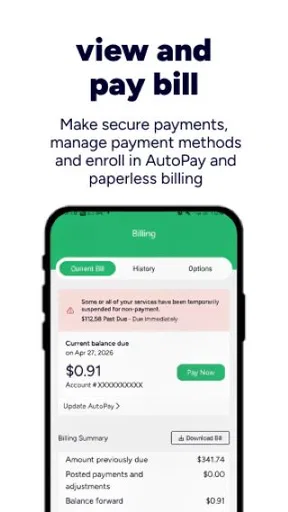
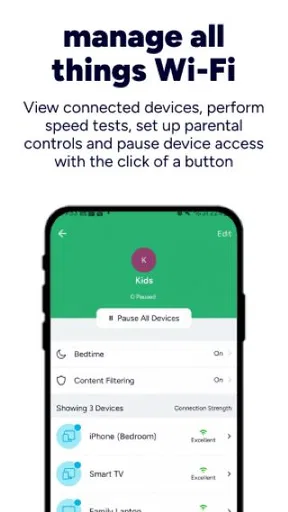
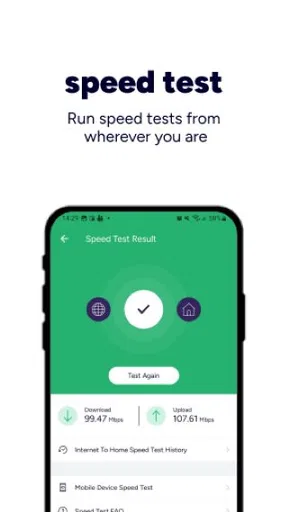
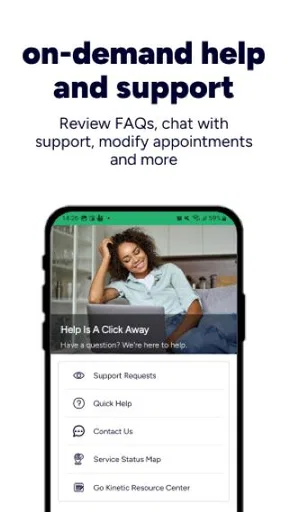
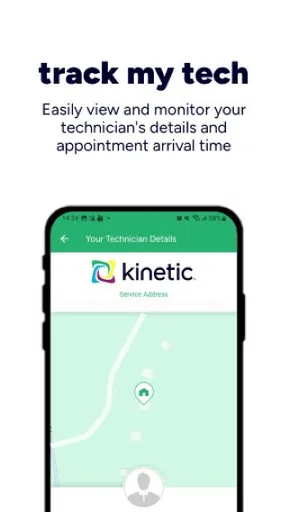
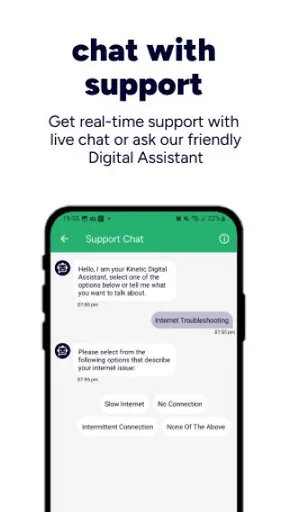
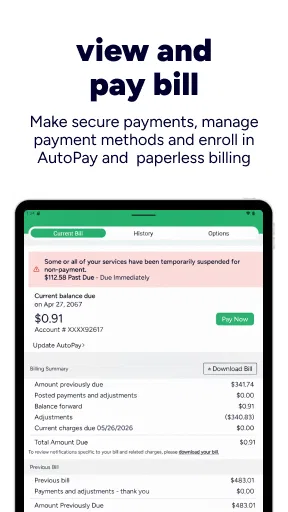
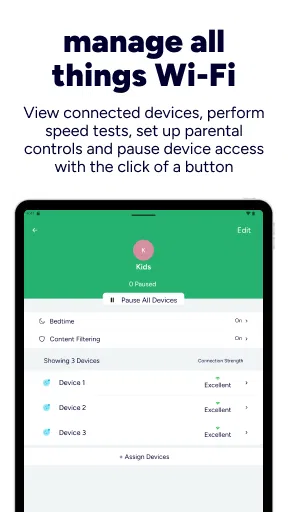
Our Review of Go Kinetic
 Analysis by Appyee
I found Go Kinetic most useful when I treated it as a control panel for my Kinetic account rather than as a general-purpose smart-home platform. The app sits in the Business category, but its appeal is very practical: it brings account management and connected-home tasks into one mobile experience. I can see why it has attracted a broad audience, with an average rating of 4.3 from around 30 thousand ratings and more than 500 thousand installs.
That popularity does not make it automatically right for everyone. The experience depends heavily on the connection between the phone, the service, and any connected equipment involved. When that chain is working, the app feels convenient and focused. When the network is slow or a device is not responding, the same simplicity can become frustrating because there is less room for guessing what happened. My overall impression is positive, but I would recommend it most strongly to Kinetic customers who want routine account and home tasks handled from a phone, not to someone looking for a completely independent smart-home hub.
How Go Kinetic feels when every task depends on connectivity
The first thing I noticed is that Go Kinetic is not an app I open for entertainment or casual browsing. I open it with a purpose: checking something related to my account or interacting with the connected home. That makes speed and clarity more important than visual novelty. A short delay matters because I am usually waiting for a status, opening a control, or confirming that an action has gone through.
In a strong connection, the workflow is straightforward. I launch the app, move to the relevant account or home area, make the change I need, and wait for confirmation. The important detail is the waiting stage. A button press on a phone can feel instant, but the result may rely on several separate connections. The app has to communicate with the service, and a connected-home action may also need to reach equipment somewhere else. I learned not to treat a brief pause as an immediate failure.
That network dependence shapes the whole experience. Go Kinetic is convenient because it puts remote account and home access in my pocket, but convenience comes with a condition: the app is only as dependable as the connection supporting the request. This is not a criticism unique to Kinetic; it is the normal trade-off of managing connected services remotely. Still, it is worth understanding before replacing every other way of checking or managing the service with the app.
A useful habit is to separate three questions when something seems wrong: did the app open, did the request leave the phone, and did the connected service complete it? Those are different stages. If the interface loads but a control does not update, the issue may not be the app itself. If the app cannot load account information at all, the problem is more likely at the connection or service-access stage. Thinking this way prevents repeated tapping, which can make an uncertain situation harder to interpret.
What I do in ordinary mobile situations
Go Kinetic makes the most sense in moments when I am away from a computer. A phone is already with me while I am leaving home, commuting, traveling, or handling errands, so an account or connected-home task does not have to wait until I return to a desk. That is the practical advantage over relying only on a browser or calling for help.
For example, imagine leaving home and realizing that I need to check something connected to the service. With Go Kinetic, I can try from the phone instead of turning around immediately. The benefit is not that every request becomes instant; the benefit is that I have a direct way to attempt the task from wherever I am. If the connection is weak, I can at least recognize that the delay is part of the situation rather than assuming the action has completed.
The app is also better suited to short, intentional visits than long sessions. I would not open it simply to explore. I would open it, go to the account or home function I need, complete the task, and close it. That focused design is a strength for busy users, although people who prefer detailed dashboards and extensive customization may find the experience narrower than a dedicated smart-home application.
One mobile tip made a noticeable difference for me: I avoid making an important change while moving between networks. Switching from home Wi-Fi to mobile data, or passing through a weak signal area, can leave the request in an ambiguous state. I prefer to stop somewhere with a stable connection, perform one action, and wait for the result before trying anything else. That is especially sensible when the action affects the connected home rather than merely displaying account information.
The app is free, which removes a simple barrier to trying it. It is also rated for Everyone, so the presentation is suitable for a broad household audience. That does not mean every person will find every account or home task equally easy, but it does make Go Kinetic approachable for family members who are not especially technical.
When a request fails or the result is unclear
The most important limitation I encountered is not a missing button; it is uncertainty after a network interruption. If a request takes too long, I may not immediately know whether it failed before reaching the service or completed without the app receiving a clear confirmation. That is a common problem with connected services, and it changes how carefully I use the controls.
My recovery process is deliberately cautious. First, I wait rather than tapping repeatedly. Next, I check whether the app can still load another account or home view. If the rest of the app responds, I return to the original area and look for the updated state. Only after that do I try the action again. This simple sequence reduces the risk of sending the same request several times.
When the app does not respond properly, I also check the phone’s connection before assuming the account is at fault. A quick move to a stronger Wi-Fi signal or a reliable mobile connection can tell me whether I am dealing with a local network problem. If other apps are also struggling, Go Kinetic is unlikely to be the only affected service. If everything else works but the Kinetic view remains stuck, restarting the app becomes a reasonable next step.
I would not use a single delayed screen as proof that a connected-home action did not happen. I would verify the current state through the app once the connection is stable, and, when practical, check the device or home situation directly. This is the kind of caution that matters more than speed. The app is designed to make remote management easier, but remote management still requires responsible confirmation when the result has practical consequences.
Another useful recovery habit is to perform one change at a time. If I alter several settings while the connection is unreliable, I lose track of which request succeeded. A single-action workflow may feel slower, but it produces a much clearer record of what I intended and what the app actually reflects. This is one of the less obvious trade-offs of a connected-home app: convenience encourages quick interaction, while reliability often rewards patience.
Using it without wasting mobile data or battery
Because Go Kinetic is built around account and connected-home access, I use it selectively when I am on mobile data. I do not keep reopening the same screen simply because it has not refreshed immediately. Repeated attempts are rarely helpful when the real issue is poor reception, and they can consume more data and battery than a single, well-timed check.
My preferred approach is to open the app only when I know what I want to verify or change. I let the initial screen finish loading, make the smallest necessary navigation move, and wait for the result. If the signal is weak, I postpone non-urgent tasks until I have a better connection. This is not about treating the app as unusually demanding; it is about avoiding wasteful retries in any service that communicates with a remote account or home system.
At home, I would generally choose a stable Wi-Fi connection for routine management when it is available. Away from home, I reserve mobile access for tasks that are genuinely useful at that moment. This makes the app feel more predictable and helps distinguish a service problem from a temporary signal problem.
There is also a privacy-minded benefit to this approach. I avoid opening account information on an unsecured public network when the task can wait. Go Kinetic is most useful when it gives me access at the right time, not when I feel compelled to check it constantly. A deliberate routine is better than turning the app into a background habit whose value is unclear.
For households sharing responsibility, I would encourage everyone to agree on who handles important changes and how the result is confirmed. The app can make access convenient, but convenience can also lead to duplicated actions if several people respond to the same situation independently. A clear household routine—one person makes the change, another checks only if needed—reduces confusion when connectivity introduces a delay.
Where it beats the usual alternatives, and where it does not
The usual alternative is a browser, a computer, or direct support through another channel. Go Kinetic wins on immediacy: a phone is easier to reach when I am away from a desk. It also keeps account and connected-home access in a single place instead of making me remember a separate web route for every task. For quick checks and mobile situations, that is a meaningful advantage.
A browser may still be preferable when I want a larger view, more room to read account details, or a calmer environment for a complicated task. If I am already working at a computer, the extra screen space can make careful review easier. I would also prefer a direct, non-app route when my phone connection is unreliable or when I need help with an issue that requires explanation rather than a simple account action.
Compared with a specialized smart-home platform, Go Kinetic feels more focused on the Kinetic relationship and connected service than on building an elaborate ecosystem of unrelated devices. That focus is helpful if my needs are centered on Kinetic. It is less compelling if I expect one app to coordinate equipment from many different brands or provide advanced automation across an entire home.
The trade-off is clear: a focused app can be easier to understand, but it may not replace every tool a power user wants. I would choose Go Kinetic for direct access to my Kinetic account and connected home. I would look elsewhere for broad device compatibility, complex routines, or a highly customized smart-home command center.
Who should install it and who should skip it
I think Go Kinetic is a good fit for Kinetic customers who regularly manage their service from a phone, especially people who are often away from home or do not want to depend on a desktop browser. It is also suitable for households where more than one person needs a simple way to reach the account or connected-home functions without learning a complicated technical system.
I would be more cautious if someone expects the app to work as a complete replacement for every account-support route or as an all-in-one platform for unrelated smart devices. The app’s value comes from its connection to the Kinetic service. If I did not use that service, there would be little reason to install it. If my main goal were advanced automation, a broader smart-home platform would likely be a better match.
The developer is Uniti Group, and the app has been available since late 2018. Its current release is version 6.0.4 and it requires Android 6.0 or later, so Android users should check that their phone meets the operating-system requirement before planning around it. These details matter most for older devices, where compatibility can be the first obstacle rather than the app’s day-to-day design.
I also appreciate that the app is free to download. That makes it easy to test whether its account and connected-home workflow fits a particular household before changing established habits. Still, I would judge it after trying it in the places where I actually need it: at home, on mobile data, and during a mildly inconvenient moment when a quick account check matters.
My connectivity verdict
After using Go Kinetic with connectivity in mind, I see it as a practical companion rather than a magic solution. Its strongest quality is access: it gives Kinetic customers a direct mobile route to account and connected-home tasks. Its main weakness is the uncertainty that can appear when a remote request is delayed, interrupted, or waiting for confirmation.
The best experience comes from using it deliberately. Keep the task small, use a stable connection when possible, wait for confirmation, and verify the final state before repeating an action. Those habits make the app feel much more reliable than frantic tapping during a weak signal.
My recommendation is simple: choose Go Kinetic if mobile access to your Kinetic account and connected home is the convenience you actually need. I would not choose it as a substitute for a broad smart-home ecosystem or as the only option for complicated support situations. Within its intended role, though, it is approachable, useful, and easy to justify trying—particularly because there is no purchase price standing between the user and that mobile access.
In the end, the app’s success depends less on how long I spend inside it and more on whether it helps me complete a specific task at the right moment. When the network is solid, it does that neatly. When the network fails, patience and confirmation are part of the experience. That is the honest picture of Go Kinetic: a focused mobile tool whose convenience is real, provided I remember that connected access is still dependent on the connection behind it.
Verdict
Strengths of Go Kinetic
- Simple interface makes tracking rides and activities easy.
- Supports goal setting to help maintain an active routine.
- Useful activity history for reviewing past performance.
- Can encourage friendly competition through shared achievements.
- Works well for users seeking a focused fitness companion.
Limitations of Go Kinetic
- Some features may require compatible Kinetic equipment or services.
- Battery and GPS use can increase power consumption during activities.
- Limited usefulness for people who do not use Kinetic products.
- Performance insights may feel basic compared with dedicated fitness apps.
- Account setup and permissions may take time before full access.
Similar Picks in This Category
View All
LinkedIn: Community & Network
LinkedIn3.8

Zoom Workplace
zoom.com4.1

Microsoft Teams
Microsoft Corporation4.6

Meta Business Suite
Meta Platforms, Inc.4.6

Webex Meetings
Cisco Systems, Inc.4.5

TeamViewer Remote Control
TeamViewer4.4
Frequently Asked Questions
What is Go Kinetic, and what can I use it for?
Go Kinetic is a mobile companion app designed to help users manage and interact with compatible Kinetic services, accounts, or connected equipment from a smartphone. Depending on your location and service plan, it may provide access to account information, service details, support options, notifications, and other tools. Available features can vary by region, device, and Kinetic subscription.
Is Go Kinetic free to download and use?
The Go Kinetic app is generally available to download at no additional cost from supported app stores, but some functions may require an active Kinetic account or subscription. Your internet connection, mobile data usage, and any paid services associated with your Kinetic plan are separate from the app itself. Check the official store listing and your account terms for current pricing details.
What devices and operating systems are compatible with Go Kinetic?
Go Kinetic is intended for modern Android and iOS smartphones, although exact compatibility depends on the version available in your country and the requirements listed in the relevant app store. Before installing, confirm that your phone has a supported operating system, sufficient storage, and a stable internet connection. Older devices may experience limited performance or may no longer be supported.
Do I need a Kinetic account to use the app?
Many of Go Kinetic’s account-management and service-related features require you to sign in with valid Kinetic credentials. New users may need to register an account or link the app to an existing service address or subscription. Some information may be viewable without signing in, but the full experience typically depends on your location, account type, and the Kinetic services connected to your profile.
Is Go Kinetic safe and reliable for managing my information?
Go Kinetic is designed to provide access to Kinetic-related services through a mobile interface, but users should still follow standard account-security practices. Download it only from an official app store, keep the application updated, use a strong unique password, and avoid sharing verification codes. Review the permissions and privacy policy before signing in, especially if the app is used on a shared device.
